⚡ Built for scale
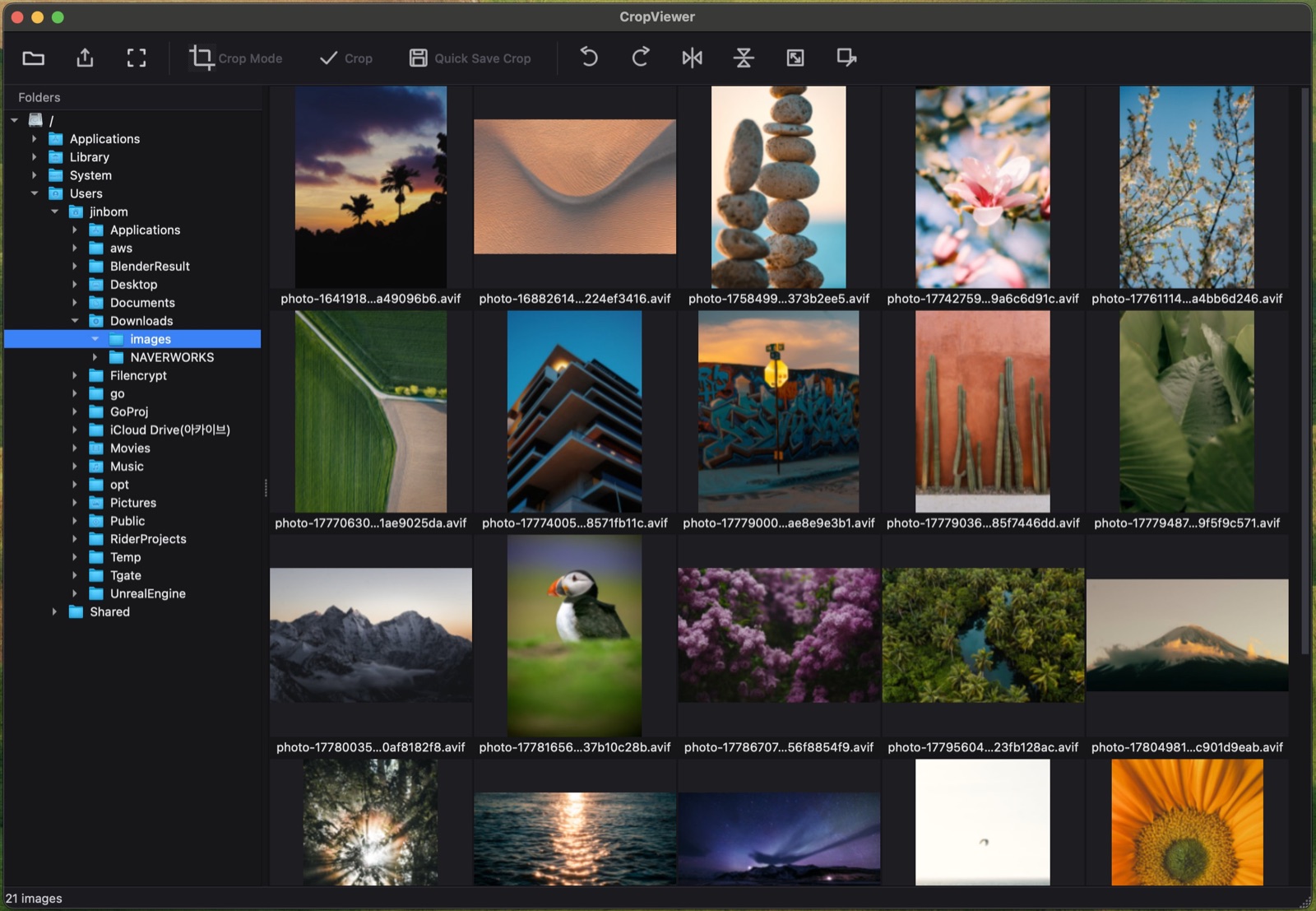
Virtualized thumbnail grid with background decoding and a two-tier cache. Thousands of images, no freezing. Each thumbnail shows the whole image with its file name.
🎯 Precision crop
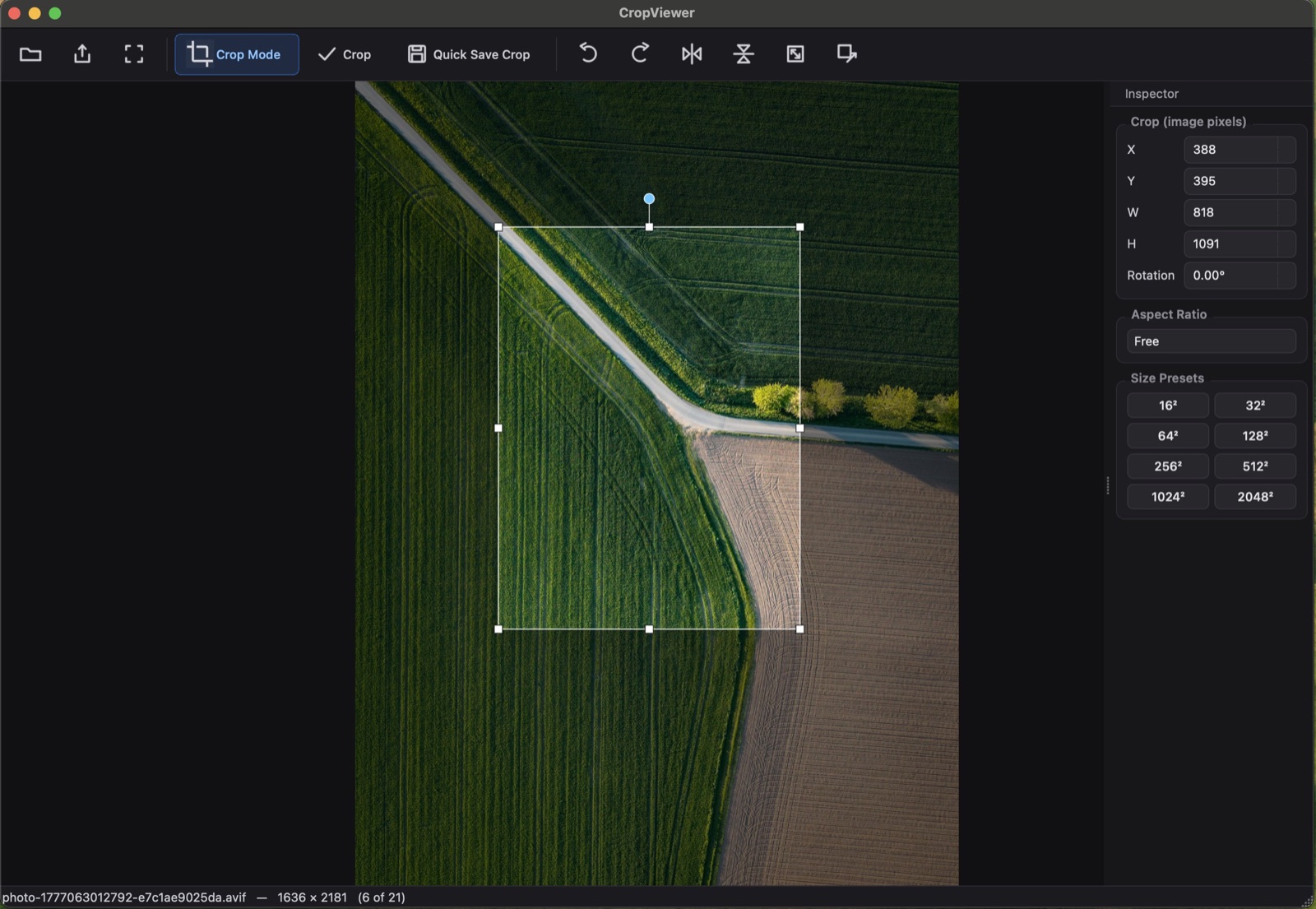
The crop rectangle lives in original pixel coordinates — not screen pixels. Move, resize, rotate with sub-pixel accuracy, aspect-ratio lock, and game size presets.
🔄 Quick edits
Rotate, flip horizontally/vertically, scale by percentage, or resize to exact dimensions — all undoable.
🖼 Real viewer
Wheel zoom, pan, fit / 100%, pixel-perfect rendering, transparency checkerboard, and an immersive fullscreen mode with arrow-key navigation.
💾 Smart saving
Quick-save crops with auto-numbered names, Save As with per-format
options, overwrite, and an optional /cropped folder.
📂 Opens instantly
Double-click an image in Finder and it opens straight into the viewer — decoding starts immediately while the folder loads in the background.
🌑 Minimal mode
Hide every menu and panel so a single image fills the window. One toolbar click toggles it, Esc returns to the thumbnail grid, and the mode is remembered between launches.
🛠 All the basics, built in
Every essential image-processing operation in one place — rotate left & right, flip horizontal & vertical, resize to exact dimensions, scale by percentage, and precision crop. Fully non-destructive and undoable.
See it in action
Browse thousands at once
A virtualized thumbnail grid with a folder tree, background decoding, and the file name under every image. Scroll huge folders with zero lag.
A focused, pixel-perfect viewer
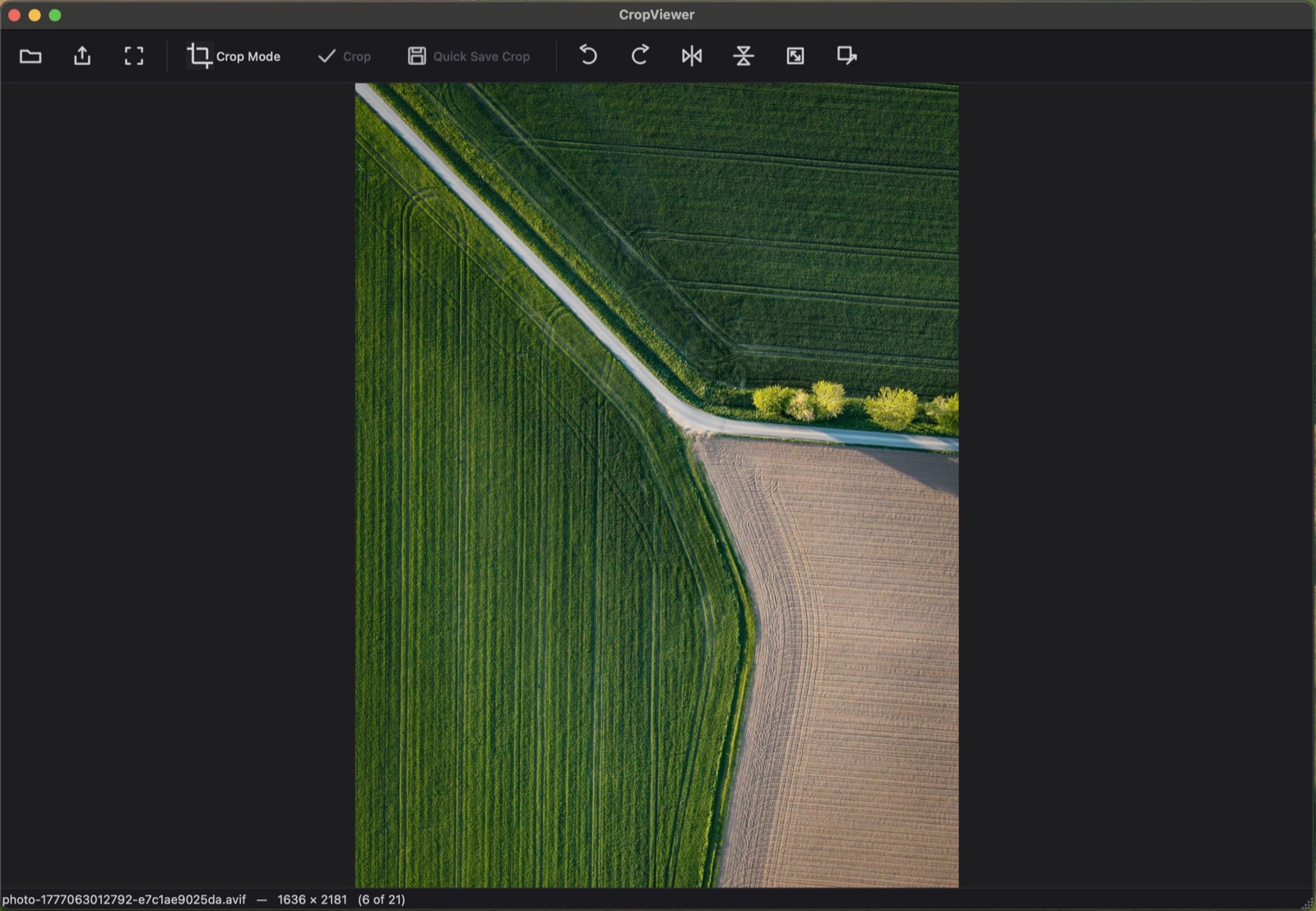
Wheel zoom, pan, fit / 100%, and a clean fullscreen mode. The status bar shows the file name, exact dimensions, and position in the folder — step through with the arrow keys.
Crop with precision
Crop in true image-pixel coordinates with a live inspector: type exact X / Y / W / H / rotation, lock an aspect ratio, or snap to game size presets from 16² to 2048².
Minimal mode — nothing but the image
One click on the toolbar hides every menu, toolbar, and panel so a single image fills the whole window. Esc or a double-click returns to the thumbnail grid, and the mode is remembered between launches — the next image opens minimal again.

Activate Full Version
$19 one-time
- Unlock all export formats (free version saves the original format only)
- Serial key emailed instantly — activate inside the app
- Works on macOS & Windows, lifetime license
🔒 Secure payment via PayPal. Your serial is verified server-side and emailed automatically.
Keyboard shortcuts
On macOS, use ⌘ wherever Ctrl is shown.
View & navigate
- ← →
- Previous / next image
- Space
- Next image
- Shift+Space
- Previous image
- F
- Fit to window
- 1
- Actual size (100%)
- F11
- Toggle fullscreen
- Esc
- Leave fullscreen → back to the grid → quit (from the grid)
Crop
- C
- Toggle crop mode
- ← ↑ → ↓
- Nudge crop 1 px (in crop mode)
- Ctrl+K
- Apply crop
- Ctrl+Z
- Undo crop
Edit & transform
- Ctrl+[
- Rotate left
- Ctrl+]
- Rotate right
File
- Ctrl+O
- Open folder
- Enter
- Open selected (grid) / quick-save crop (viewer)
- Ctrl+S
- Save (overwrite)
- Ctrl+Shift+S
- Save As…